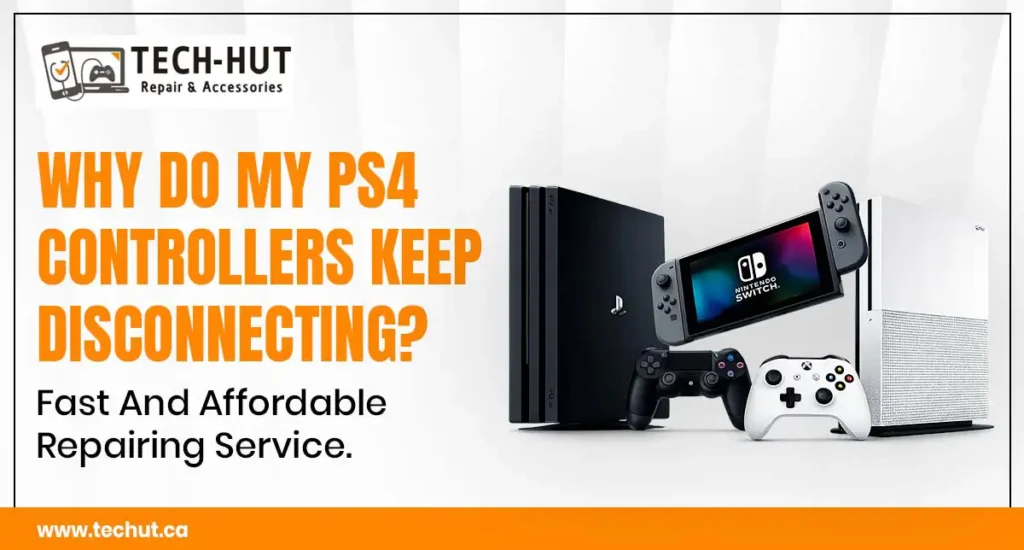
Gaming consoles are built to handle long hours of entertainment, high-performance graphics, and demanding gameplay. However, even advanced systems like PlayStation consoles can develop overheating problems over time. If ignored, overheating can lead to sudden shutdowns, loud fan noise, performance lag, hardware damage, and even complete console failure.
Many gamers notice early warning signs but continue using the console until the problem becomes serious. Understanding the causes behind overheating and knowing when to seek professional Games console repair can help extend the lifespan of your PlayStation and protect your investment.
At TECH-HUT LAPTOP & CELL PHONE REPAIR IN NEW WESTMINSTER, technicians regularly diagnose overheating issues in gaming consoles and help customers restore stable performance. Whether the issue involves dust buildup, damaged cooling systems, or internal hardware problems, early action can prevent expensive repairs later.
Why PlayStation Consoles Overheat
PlayStation consoles generate heat naturally while processing graphics, online gameplay, and high-resolution gaming environments. To maintain safe temperatures, the console uses cooling fans, heat sinks, thermal paste, and ventilation systems.
Over time, these cooling components may stop functioning efficiently. Dust accumulation, blocked vents, aging thermal paste, or hardware wear can increase internal temperatures rapidly. When cooling becomes ineffective, the system may display overheating warnings or shut down automatically.
The need for professional Games console repair often begins when users ignore these early signs for too long.
Common Signs of an Overheating PlayStation
Many gamers do not realize their console is overheating until the issue becomes severe. However, PlayStation systems usually show several warning signs before major hardware damage occurs.
One of the most common symptoms is excessive fan noise. If the fan suddenly becomes unusually loud during gameplay, the console may be struggling to control internal heat. Another warning sign is sudden game freezing or unexpected shutdowns during long gaming sessions.
Some users also experience reduced gaming performance, delayed loading times, or overheating messages appearing on the screen. In more serious cases, the console may fail to power on entirely.
People searching for Playstation repair near me often notice these symptoms after months of ignoring minor cooling issues.
Dust Buildup Is a Major Cause of Overheating
Dust accumulation is one of the leading reasons behind PlayStation overheating problems. Gaming consoles pull air continuously through internal cooling systems, which allows dust and debris to collect around vents and fans.
As dust builds up, airflow becomes restricted, forcing the cooling fan to work harder. Eventually, the trapped heat begins affecting internal components such as the processor and graphics system.
Homes with pets, carpets, or limited ventilation often experience faster dust buildup inside gaming consoles. Even small layers of dust can significantly reduce cooling efficiency over time.
At TECH-HUT LAPTOP & CELL PHONE REPAIR IN NEW WESTMINSTER, professional Games console repair services often begin with internal cleaning and thermal system inspection.
Thermal Paste Can Wear Out Over Time
Thermal paste plays an important role in transferring heat away from the console processor. This special material sits between the processor and heat sink, helping maintain proper cooling performance.
Over time, thermal paste can dry out or lose effectiveness. When this happens, heat transfer becomes inefficient, causing the processor temperature to rise rapidly during gameplay.
Old thermal paste is a common issue in older PlayStation consoles that have been used heavily for several years. Replacing the thermal compound professionally can significantly improve temperature control.
Many customers searching for Games console repair near me are surprised to learn that aging thermal paste can create major overheating problems even when the fan still works normally.
Poor Ventilation Increases Heat Problems
Console placement plays a major role in cooling performance. Many users place their PlayStation inside tight cabinets, entertainment units, or enclosed spaces with poor airflow.
Without proper ventilation, hot air remains trapped around the console, making it difficult for cooling systems to function effectively. This can increase internal temperatures quickly, especially during long gaming sessions.
PlayStation consoles should always be placed in open, well-ventilated areas away from direct sunlight and heat-producing electronics. Leaving enough space around air vents allows better airflow and cooling efficiency.
Professional Games console repair technicians often advise customers to improve console placement to reduce future overheating risks.
Damaged Cooling Fans Can Cause Serious Issues
The cooling fan is one of the most important parts inside a PlayStation console. If the fan becomes damaged, blocked, or weak, the console may overheat rapidly.
A faulty fan may produce grinding sounds, inconsistent spinning, or complete silence during operation. Some users notice the fan struggling during demanding games while the console becomes unusually hot.
Ignoring fan problems can eventually damage the motherboard, processor, or power supply. Early inspection and repair are important to avoid expensive internal damage.
Customers searching for Playstation repair near me frequently visit repair shops after noticing loud or malfunctioning cooling fans.
Long Gaming Sessions Without Breaks
Continuous gaming for many hours places significant pressure on console hardware. High-performance games generate constant heat, especially in graphically demanding online titles.
Without occasional cooling breaks, internal temperatures can rise steadily over time. This is particularly common during summer months or in rooms with poor air circulation.
While PlayStation systems are designed for gaming endurance, regular rest periods help maintain healthier operating temperatures. Turning off the console after long sessions allows internal components to cool naturally.
Preventive care reduces the need for emergency Games console repair later.
Software Issues Can Also Contribute
Although overheating is often linked to hardware, software problems may also increase system stress. Corrupted updates, background processes, or software bugs can force the processor to work harder than normal.
Keeping the PlayStation operating system updated helps improve overall system stability and cooling management. Restarting the console regularly can also help reduce temporary software strain.
However, if overheating continues despite software updates, internal hardware inspection may be necessary.
At TECH-HUT LAPTOP & CELL PHONE REPAIR IN NEW WESTMINSTER, technicians diagnose both software and hardware causes before recommending repair solutions.
Why Professional Console Repair Matters
Modern gaming consoles contain highly sensitive components that require specialized tools and experience. Attempting DIY repairs without proper knowledge may create additional damage.
Opening a PlayStation incorrectly can damage connectors, cooling systems, or internal wiring. Improper thermal paste application can also worsen overheating instead of fixing it.
Professional Games console repair technicians use safe diagnostic methods to identify the exact cause of overheating and restore proper cooling performance.
Experienced repair specialists also check for secondary problems such as power supply issues, motherboard stress, or storage drive overheating.
How Overheating Damages Internal Components
Excessive heat places continuous stress on delicate console hardware. If overheating continues for long periods, it may shorten the lifespan of multiple components.
Processors exposed to extreme temperatures may lose performance stability over time. Solder joints inside the motherboard can weaken, leading to graphical glitches or startup failures.
Overheating can also affect storage drives, causing slower loading speeds or corrupted game data. In severe cases, the console may stop working entirely.
Seeking professional Games console repair early helps prevent permanent hardware failure and expensive replacements.
Cleaning and Maintenance Tips for PlayStation Consoles
Routine maintenance is one of the best ways to reduce overheating risks. Simple preventive care can improve airflow and help maintain stable temperatures.
Users should clean external vents regularly using soft brushes or compressed air. Keeping the gaming area dust-free also reduces debris entering the console.
The console should never be placed directly on carpets, blankets, or soft surfaces that block airflow. Hard, flat surfaces improve ventilation and cooling efficiency.
Periodic professional cleaning can remove deep internal dust buildup that cannot be reached safely at home.
Many people searching for Games console repair near me schedule annual maintenance to keep their consoles running efficiently.
The Connection Between Electronics Repair and Console Care
Gaming devices are not the only electronics affected by overheating. Smartphones, laptops, tablets, and gaming consoles all rely on proper thermal management systems.
At TECH-HUT LAPTOP & CELL PHONE REPAIR IN NEW WESTMINSTER, technicians also handle Phone repair services for devices experiencing overheating, battery issues, or internal cooling problems.
Electronic devices exposed to heat stress may suffer reduced performance, battery degradation, or hardware instability over time. Preventive maintenance helps extend the life of all modern electronics.
When You Should Visit a Repair Technician
Some overheating issues require immediate professional attention. Delaying repairs may allow the damage to spread to additional components.
You should consider professional Games console repair if:
- The console shuts down unexpectedly
- The fan becomes extremely loud
- Overheating warnings appear regularly
- The system becomes hot within minutes
- Games freeze or crash frequently
- Burning smells come from the console
- The fan stops spinning completely
Professional diagnosis helps identify whether the issue involves dust, thermal paste, damaged fans, power systems, or motherboard problems.
Customers searching for Playstation repair near me often avoid major hardware replacement costs by addressing overheating issues early.
Why Choose Professional Repair Services
Reliable repair centers use proper tools, safe cleaning methods, and compatible replacement parts. Professional technicians understand the cooling architecture of modern PlayStation systems and follow safe repair procedures.
Choosing inexperienced repair services may result in poor-quality repairs, missing screws, damaged connectors, or incorrect thermal application.
At TECH-HUT LAPTOP & CELL PHONE REPAIR IN NEW WESTMINSTER, professional Games console repair services focus on accurate diagnosis, quality workmanship, and long-term performance improvement.
Experienced technicians help customers restore gaming performance safely while reducing future overheating risks.
Conclusion
PlayStation overheating problems should never be ignored. What begins as occasional fan noise or minor heat buildup can quickly turn into serious internal hardware damage if left untreated.
Understanding the causes of overheating allows gamers to take preventive action early. Dust control, proper ventilation, routine maintenance, and timely inspections all play important roles in extending console lifespan.
Professional Games console repair services help identify cooling issues before they damage expensive components. Whether the problem involves thermal paste failure, fan damage, airflow restrictions, or internal hardware stress, accurate diagnosis is essential for long-term performance.
At TECH-HUT LAPTOP & CELL PHONE REPAIR IN NEW WESTMINSTER, experienced technicians provide reliable repair solutions for overheating gaming consoles and other electronic devices. Early repairs not only restore gaming performance but also help protect your console investment for years to come.
Frequently Asked Questions
Why does my PlayStation keep overheating?
Dust buildup, poor ventilation, damaged cooling fans, or old thermal paste are common causes of overheating in PlayStation consoles.
Can overheating damage my PlayStation permanently?
Yes. Continuous overheating can damage the processor, motherboard, storage drive, and internal solder connections over time.
How do I know if my PlayStation fan is failing?
A failing fan may become unusually loud, make grinding noises, spin inconsistently, or stop working completely.
Should I clean my PlayStation regularly?
Yes. Routine cleaning helps improve airflow and prevents dust accumulation inside the cooling system.
Is thermal paste replacement necessary for older consoles?
Older consoles with heavy usage may require thermal paste replacement to improve heat transfer and cooling performance.
Where can I find reliable Playstation repair near me?
Professional repair centers like TECH-HUT LAPTOP & CELL PHONE REPAIR IN NEW WESTMINSTER provide diagnostic and overheating repair services for PlayStation consoles.
Can software updates fix overheating issues?
In some cases, software updates improve system stability. However, hardware-related overheating usually requires professional inspection.
Why should I choose professional Games console repair services?
Professional technicians use safe repair methods, proper tools, and compatible parts to restore console performance without causing additional damage.