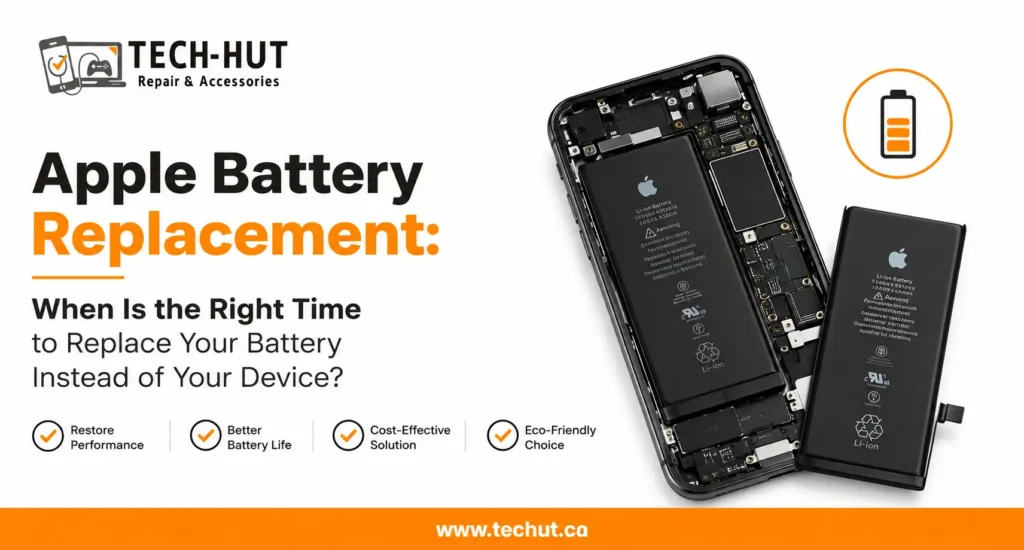
If your iPhone or MacBook has started to feel sluggish, shuts down at random moments, or simply does not last as long on a single charge as it used to, you have probably wondered whether the battery is the real problem. At Tech Hut, this is one of the most common questions customers bring to our repair counter in Surrey. The short answer is yes, a battery replacement can genuinely restore how your device performs, but the reasons behind this are a little more interesting than most people realize.
Why Apple Devices Slow Down as the Battery Ages
Every lithium-ion battery, whether it powers an iPhone or a MacBook, goes through a natural aging process. With each charge cycle, the battery’s ability to hold and deliver power gradually decreases. Apple actually builds a feature into iOS that manages this aging process by adjusting performance when the battery can no longer supply peak power reliably. This was designed to prevent unexpected shutdowns, but it also means your phone can feel noticeably slower once the battery health drops below a certain point.
This is where a fresh battery becomes relevant. Once a worn-out battery is swapped for a new one, the device no longer needs to hold back its performance to protect itself. Many customers who visit our shop for an iPhone battery replacement tell us afterward that their phone feels almost new again, not because we changed anything else, but because the old battery was the actual bottleneck all along.
The Connection Between Battery Health and Everyday Performance
People often assume that slow performance means it is time for a new phone or laptop. In reality, a large percentage of these complaints trace back to a battery that can no longer keep up with demand. When battery health declines, the operating system throttles processing speed to avoid sudden power drops. Apps take longer to open, multitasking becomes choppier, and the device may even feel warm during simple tasks.
Addressing this at the source, rather than masking the symptom, restores the power delivery system to a level where the processor can run at its intended speed. This is true for both iPhones and MacBooks, since both product lines rely on similar lithium-ion technology and similar internal power management systems.
What Causes the Service Battery Warning on a MacBook
Many MacBook users come across a message that says something like “Service Battery” in the menu bar and are unsure what it means. This warning generally appears when the battery has lost a significant portion of its original capacity, when it is no longer holding a charge properly, or when there is an irregularity in how the battery is communicating with the system. Understanding what causes service battery macbook alerts helps explain why the laptop might be running warmer than usual, draining faster, or randomly shutting off even when the battery percentage shows charge remaining.
Ignoring this warning for too long is not a good idea, since a battery in this condition can affect trackpad function, cause the laptop to run unevenly, and in some cases lead to swelling. A macbook battery replacement resolves the underlying issue rather than just addressing the warning message itself. Once the old cell is removed and replaced, the laptop typically runs cooler, holds its charge as expected, and performs the way it was designed to.
How Battery Replacement Affects Battery Life and Daily Use
One of the most noticeable improvements after swapping the battery is simply how long the device lasts between charges. A phone or laptop with a healthy battery can comfortably get through a full day of normal use, while one with a degraded battery might need to be plugged in two or three times before evening. This difference alone makes it one of the most cost-effective repairs available for Apple devices, especially when compared to buying a brand-new phone or laptop.
Beyond battery life, a fresh cell also improves reliability. Devices with old batteries are more prone to sudden shutdowns, especially in cold weather or during demanding tasks like video calls or gaming. Swapping it out removes this unpredictability and gives you a device you can rely on throughout the day.
Signs It Might Be Time for a Replacement
There are a few signs that usually point to a battery that needs attention. If your phone drops from a healthy percentage to zero without warning, if your MacBook’s battery percentage seems to jump around unpredictably, or if the device physically feels warmer than it used to during regular use, these are strong indicators. Another common sign is a battery that swells slightly, which can be seen as a trackpad that no longer sits flush or a phone screen that starts to lift slightly at the edges.
If you notice any of these symptoms, it is worth getting the battery checked before it affects other components inside the device. At Tech Hut, we run a full diagnostic before recommending any repair, so you know exactly what condition your battery is in before deciding on next steps.
Why Choose Tech Hut for Your Battery Replacement
Tech Hut has been serving customers across Surrey and the wider Vancouver and Lower Mainland area with dependable phone and laptop repairs. Our technicians use quality replacement cells and follow careful procedures to make sure your device performs exactly as it should once the repair is complete. Whether you are searching for an apple iphone battery replacement or a battery replacement macbook service, our team handles both product lines with the same attention to detail.
Many customers searching for a macbook battery replacement near me or an apple battery replacement near me choose Tech Hut because we offer transparent pricing, quick turnaround times, and a genuine explanation of what is happening with your device rather than just a quote. We believe that understanding the problem is just as important as fixing it.
Final Thoughts
A fresh battery is one of the simplest ways to bring noticeable performance improvements back to an aging iPhone or MacBook. From faster processing speeds to longer battery life and fewer unexpected shutdowns, the benefits go well beyond just charging percentage. If your device has been acting up lately, it may be worth having the battery checked before assuming the entire device needs replacing.
Frequently Asked Questions
Does replacing the battery actually make my iPhone faster?
Yes. When battery health drops, iOS can limit processing speed to prevent sudden shutdowns. Replacing the battery removes this limitation and allows the phone to run at its normal speed again.
How do I know if my MacBook needs a battery replacement?
Common signs include a “Service Battery” message in the menu bar, a battery that drains unusually fast, a laptop that feels warmer than normal, or a trackpad that no longer sits evenly due to slight battery swelling.
Is it cheaper to replace the battery or buy a new device?
In most cases, this repair costs significantly less than purchasing a new iPhone or MacBook and can restore the device to feeling like new again.
How long does a battery replacement usually take?
Most iPhone repairs of this kind can be completed within the same day, while MacBook battery replacements may take slightly longer depending on the model and part availability.