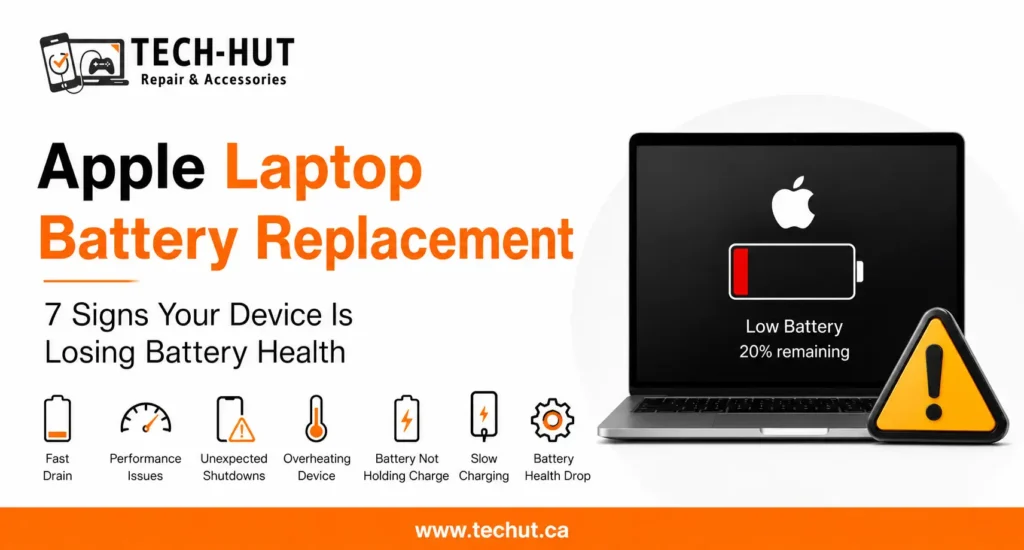
You glance at your screen, see twenty percent remaining, and assume you have at least another hour before you need to find a charger. Then, without warning, the device shuts off completely. This experience is far more common than most people realize, and it usually has very little to do with how you are using your phone or laptop. In almost every case, it points to a battery that is no longer reporting or delivering power the way it should. For MacBook owners specifically, it is one of the clearest signs that MacBook battery health issues are developing beneath the surface.
The Real Reason Devices Shut Down Early
A battery does not actually run out of power evenly as the percentage drops. Instead, it is supposed to deliver a steady voltage all the way down to zero, and the percentage shown on your screen is really an estimate based on how much charge the battery believes it still has. When a battery starts to age, this estimate becomes less accurate. The device might genuinely believe it has twenty percent left, while the battery itself can no longer supply enough voltage to keep the system running, causing an unexpected shutdown.
This mismatch between the reported percentage and the actual power available is one of the clearest symptoms of a battery that needs attention. It is not a software glitch, and restarting the device or reinstalling the operating system will not fix it, since the root cause lives inside the battery cell itself rather than anywhere in the software.
How Battery Calibration Plays a Role
Calibration is the process by which a device learns the true capacity of its battery over time. Ideally, this happens naturally as you use your phone or laptop through full charge and discharge cycles. Over months and years, however, a battery’s actual capacity shrinks while its internal calibration data can lag behind, creating a gap between what the device thinks it has and what is truly available.
This gap tends to widen faster once a battery has gone through many charge cycles, which is common in laptops and phones that are two years or older. For MacBook users, this shows up clearly in the battery health section of system settings, where a normal reading can quietly shift into one that flags reduced capacity. Recognizing this early is far more useful than waiting until shutdowns start happening regularly.
Recognizing MacBook Battery Health Issues Before They Get Worse
MacBook Battery Health Issues rarely appear overnight. In most cases, there is a gradual pattern that builds over several weeks or months. You might notice the laptop unexpectedly shutting off during video calls, feeling warmer than usual while performing simple tasks, or the battery percentage jumping suddenly from a reasonable number down to zero. Each of these on their own might seem minor, but together they usually point to the same underlying cause.
Apple’s built-in battery health tool is the most reliable way to confirm what is happening. Checking this setting regularly, especially once your MacBook passes the two-year mark, gives you a clear picture of macbook battery health before it becomes disruptive. A laptop that is otherwise working well but shutting down early is almost always a battery story rather than a deeper hardware problem.
Why iPhones Show Similar Symptoms
The same underlying mechanism explains why iPhones sometimes shut down well above zero percent as well. Apple introduced performance management specifically to reduce sudden shutdowns on phones with aging batteries, but this only works up to a certain point. Once a battery has degraded significantly, even that safeguard cannot always prevent an unexpected shutdown, particularly in cold weather or during power-intensive tasks like navigation or gaming.
For customers dealing with this on their phone, an iphone battery replacement usually resolves the issue completely, since it addresses the actual source of the power delivery problem rather than working around it. The same logic applies to apple iphone battery replacement services more broadly, since the goal is always to restore consistent voltage delivery rather than simply hiding the symptom through software adjustments.
When a Battery Replacement Is the Right Solution
If your MacBook or iPhone is shutting down before reaching a low percentage, checking battery health is always the right first step. When the health reading shows meaningful degradation, or when shutdowns are becoming a regular occurrence rather than an occasional surprise, a replacement is generally the most direct fix available. This is true whether you need battery replacement macbook service for a laptop or a straightforward swap for your phone.
An Apple laptop battery replacement restores the battery to its original capacity, which means the percentage shown on screen becomes accurate again and the shutdowns stop happening. It also tends to improve overall macbook battery life, since a healthy battery can hold a stronger charge and deliver power more efficiently across the entire day.
How Tech Hut Diagnoses Early Shutdowns
At Tech Hut, we do not jump straight to recommending a new battery without confirming that is actually the cause. Every device that comes in for early shutdown complaints goes through a proper diagnostic that checks battery health readings alongside overall system behavior. This helps rule out anything unrelated to the battery, such as a loose internal connection or a software conflict, before recommending a repair.
Once a battery is confirmed as the cause, our technicians use quality replacement parts that match Apple’s original specifications, whether the device in question is a MacBook or an iPhone. Customers usually notice the difference within the first day of use, since the device once again lasts as long as the displayed percentage suggests it should.
Final Thoughts
An Apple device shutting down before reaching a low battery percentage is rarely a coincidence and almost never something to ignore for too long. It is a clear signal that the battery inside is no longer performing the way it was designed to, and getting it checked early can prevent the inconvenience of unpredictable shutdowns throughout your day. Whether the fix ends up being a laptop or phone repair, a proper diagnosis is always the best place to start.
Frequently Asked Questions
Why does my MacBook shut down even though it shows twenty percent battery?
This usually happens because the battery can no longer accurately report or deliver its remaining charge. The percentage shown is an estimate, and an aging battery can cause that estimate to be inaccurate.
Can software updates fix a battery that shuts down early?
No. While software updates can improve how a device manages power, they cannot fix a battery that has physically degraded. A battery replacement is the only reliable solution in that case.
How can I check if my MacBook has battery health issues?
You can check this directly in your MacBook’s battery settings, which will show whether the battery is in normal condition or has experienced significant wear.
Does this same issue happen with iPhones?
Yes. iPhones can experience similar early shutdowns as the battery ages, and in most cases, an iPhone battery replacement resolves the issue completely.