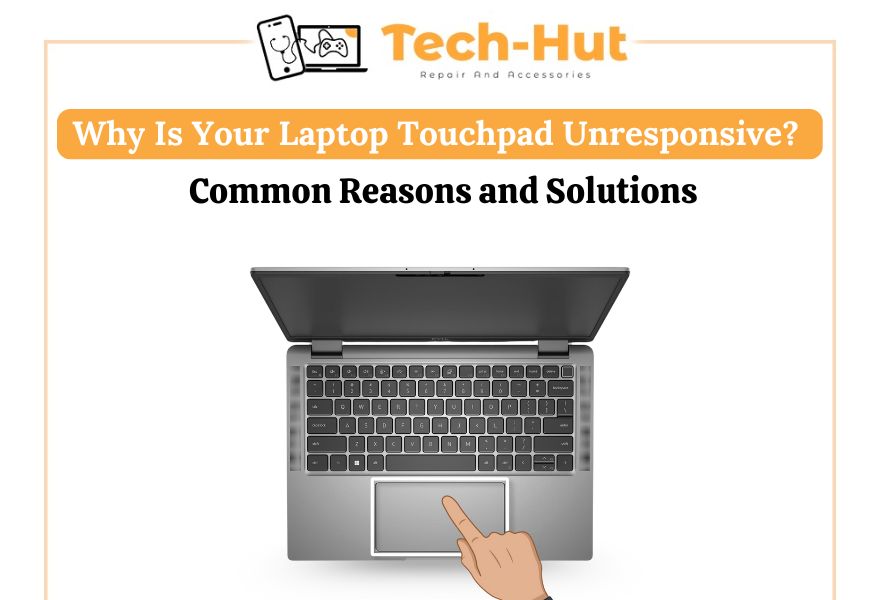
In today’s digital age, laptops have become essential tools for work, education, and entertainment. But when something as crucial as the touchpad stops responding, it can quickly turn a productive session into a frustrating experience. Understanding the causes behind an unresponsive laptop touchpad is the first step toward an effective solution. This blog explores the common reasons and practical fixes — and when to seek professional laptop repair services in New Westminster.
Common Reasons Behind an Unresponsive Touchpad
1. Disabled Touchpad Settings
Sometimes, the issue is as simple as accidentally disabling the touchpad. Most laptops have a function key (usually Fn + a numbered key) that toggles the touchpad on or off. If the touchpad isn’t working, this should be the first thing to check before opting for a laptop repair service.
2. Driver Malfunction
Touchpad drivers are essential software components that allow the hardware to function correctly. If drivers are outdated, missing, or corrupted, the touchpad may stop responding. Reinstalling or updating the drivers can often resolve the problem without requiring a full laptop repair in New Westminster.
3. Operating System Glitches
Operating system bugs or recent software updates can interfere with touchpad functionality. In many cases, restarting the laptop or rolling back a recent update can resolve the issue temporarily. However, persistent problems might require a technician to diagnose the root cause through a detailed laptop diagnostic service.
4. Hardware Failure
If the touchpad is physically damaged, no software fixes will help. Hardware failure is often caused by spills, excessive pressure, or age-related wear and tear. In such cases, professional laptop repair services in New Westminster are necessary to replace the faulty components.
5. External Device Interference
Sometimes, plugging in an external mouse may automatically disable the touchpad. Users should check their device settings to ensure both input methods are enabled. This quick fix can save time and reduce unnecessary visits to a laptop repair shop.
Effective Solutions You Can Try
Before rushing to a service center, there are several DIY solutions users can attempt:
- Restart the laptop – A simple reboot can resolve temporary glitches.
- Check BIOS settings – Ensure the touchpad is enabled at the BIOS level.
- Run hardware diagnostics – Most laptops come with built-in diagnostic tools.
- Scan for malware – Viruses and malware can interfere with input devices.
- Perform a system restore – Rolling back to a stable version may help.
If none of these steps work, it’s time to consult a local laptop repair expert.
When to Seek Professional Laptop Repair Services in New Westminster
While some touchpad issues can be solved at home, recurring problems or hardware malfunctions require expert attention. Certified technicians can diagnose and fix the issue efficiently, often replacing the touchpad or motherboard components if necessary.
If you’re in New Westminster and facing persistent laptop issues, TECH-HUT Laptop & Cell Phone Repair is your trusted local solution. Our experienced team specializes in:
- Laptop touchpad and keyboard repair
- Laptop screen replacement
- Battery and charging port repair
- Virus removal and software troubleshooting
- iPhone and smartphone repair
- Data recovery and system optimization
We provide fast, reliable laptop repair in New Westminster, using high-quality, genuine parts. Our goal is to get your device back in working order with minimal downtime.
About TECH-HUT Laptop & Cell Phone Repair – New Westminster’s Trusted Tech Shop
Located in the heart of New Westminster, TECH-HUT Laptop & Cell Phone Repair has built a reputation for exceptional service and honest pricing. Whether you’re dealing with a frozen touchpad, broken screen, or water damage, our certified technicians offer reliable diagnostics and same-day repair options.
We proudly serve the local community with:
- Walk-in repairs and diagnostics
- Affordable pricing with no hidden fees
- Quick turnaround time
- Expert support for both hardware and software issues
If your laptop’s touchpad has stopped responding or you’re facing any other tech issues, visit us today at TECH-HUT in New Westminster — your local one-stop solution for all device repairs.
Preventive Tips to Avoid Touchpad Issues
To reduce the chances of future touchpad failures, follow these preventive measures:
- Keep the laptop clean and free of dust and moisture
- Avoid placing heavy objects on the touchpad
- Regularly update the operating system and drivers
- Use protective accessories like keyboard covers
- Handle the device with care to prevent internal damage
Conclusion
An unresponsive laptop touchpad can stem from various causes — some simple, others complex. While users can troubleshoot software settings and perform basic fixes, persistent or hardware-related issues should be handled by a trusted laptop repair service in New Westminster.
TECH-HUT Laptop & Cell Phone Repair is here to help. With our expert technicians, affordable pricing, and commitment to customer satisfaction, you can count on us to bring your devices back to life.